
MenuFull-screen menu
Inventory & Equipment Screen
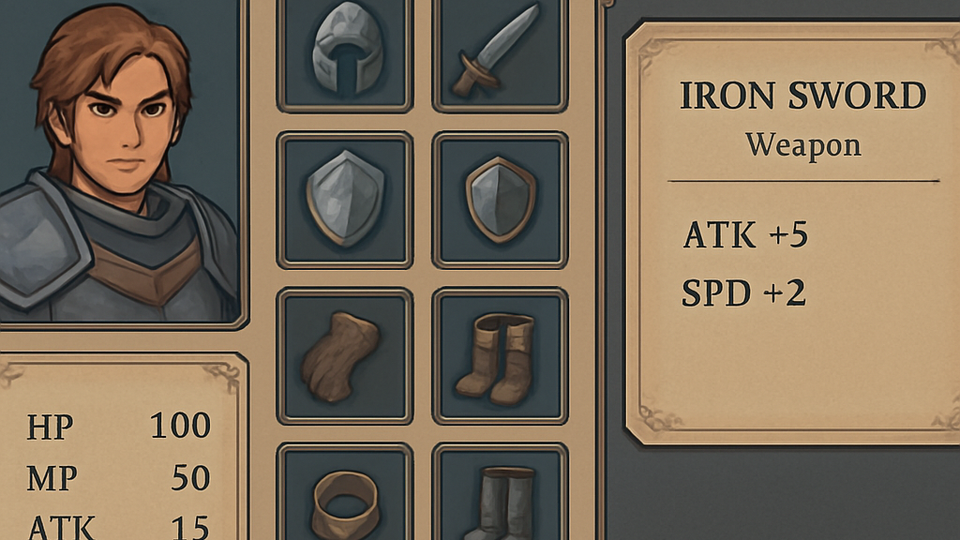
The roster equipment interface with layered stat tooltips.
MetaStatsOut-of-battle
Purpose
Allow the player to equip named soldiers and understand the full stat impact through progressive tooltips.
Components
- Character portrait and summary
- Equipment slot grid
- Item list with rarity
- Comparative stat tooltip
Parameters
| Parameter | Value | Type | Notes |
|---|---|---|---|
| Slot count | 4 | int | — |
| Tooltip reveal delay | 200 ms | duration | — |
| Compare mode | On hover of unequipped item | condition | — |
Controls
- Drag or click an item to equip it.
- Hover an item to compare against the equipped slot.
- Cycle roster members with previous/next controls.
Logic & states
- Equipping recomputes derived stats and reflects them live.
- Comparison tooltip shows green/red deltas against current loadout.
Scenarios
Stat comparison
- Given
- A soldier has a weapon equipped.
- When
- The player hovers a different weapon.
- Then
- The tooltip shows per-stat deltas relative to the equipped weapon.
Edge cases
- Equipping an over-weight item shows a warning and the move-point penalty.
- Empty roster slot disables the equipment grid.